Anydesk
AnyDesk, a fast remote access to computers

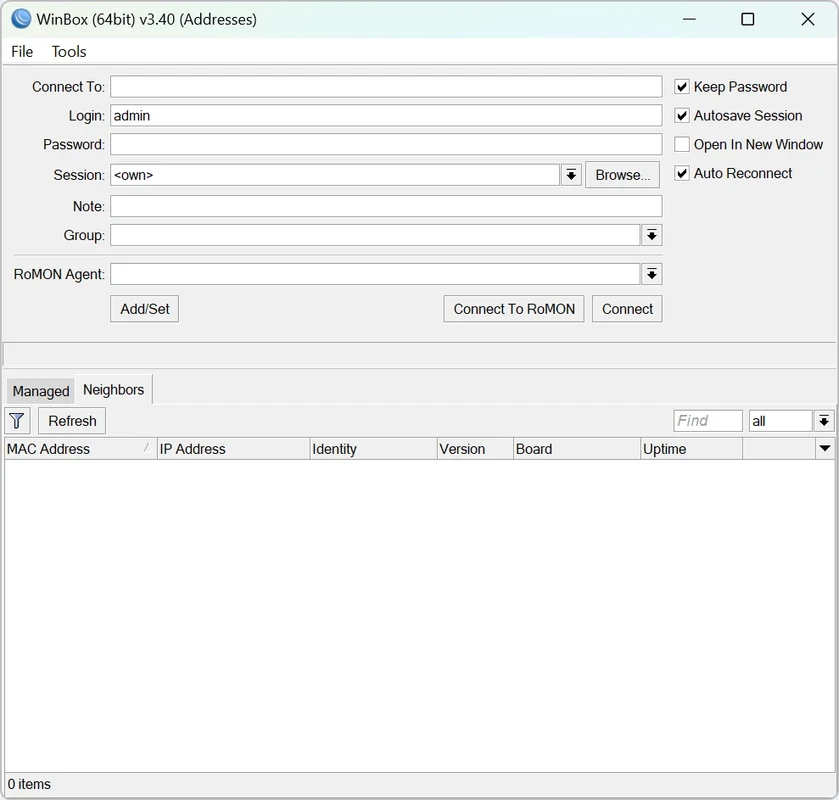


WinBox is a free tool based on the Windows operating system that enables users to manage their RouterOS devices. It offers a graphical management interface to facilitate the users to control their system remotely by creating individual profiles exclusively for each device, and use RoMON to access them.
WinBox is a simple utility that offers services for both new learners and professionals. It is basically designed for the Windows operating system, but you can use it on macOS and Linux devices with the help of Wine.
WinBox developed by MikroTik, offers a fast and simple GUI to administrate MikroTik RouterOS devices. It is designed for network administrators and system integrators to manage complex network tasks. It uses IP or Mac addresses to establish connections to RouterOS systems.
It opens a multi-document interface environment after authentication of the connection fields by the loader. However, it doesn’t support some advanced and system-critical configurations, such as changing the interface configuration on the MAC address.
The app offers straightforward installation, as download the installer from the official website, or by clicking the “Download” button given on the page. Follow the on-screen instructions and complete the installation. Launch the app by double-clicking the icon, enter your IP address or hostname of the target MikroTik router, and establish the connection after providing valid credentials.
After the connection, you will find all the configuration and monitoring tools. You can access your required functionalities while exploring the menu system, and you are allowed to configure settings, analyze traffic, monitor network performance, and manage connected devices.
RouterOS is an advanced system that is equipped with a lot of configuration options and built-in functionality. But WinBox, with a user-friendly presentation, makes everything cool and easy within an advanced mode, enabling users to operate advanced functions more reliably. It gives more importance to the most commonly used parameters and configurations, such as wired and wireless interface configurations, website blacklisting, saving or loading previous sessions, and so on.
You have to place an IPv6 address in square braces for connecting to the router's IPv6, the same as in web browsers for connecting to the IPv6 server. It is possible to discover IPv6-enabled routers while using the WinBox neighbor discovery. Each IPv6-enabled router has two entries: IPv4 address and IPv6 link-local address.
The administrators are allowed to connect remotely or locally within secure as well as non-secure connections. The storing capability of multi-login sessions enables users to access multiple routers. The lightweight tool works more smoothly, even on low-end devices. There aren’t any built-in tutorials or help support is available, but you can get assistance from YouTube tutorials, MikroTik Wiki, and forums.
The MDI interface offers a work area that has all menu configuration windows attached to the main window. You can see all commonly used parameters by default. However, you can monitor the proper selection of routes while viewing other parameters such as BGP AS Path or other BGP attributes. It also supports a drag & drop option for uploading and downloading files to/from the router.
It offers enhanced network adjustments while maintaining the stability of the connections, but you have to face some compatibility issues within the browser-based configurations, and you have to transfer to the standalone version.
It offers safe device access within encrypted communication and user authentication. Secure connections are possible through SSH, FTP, and Telnet, which help you to use the web interface for monitoring and managing your devices. It also ensures the safety of the data privacy and integrity within secure tunneling using IPsec. AES-based session, credential management, reducing unauthorized access, and a lot of other secure functionalities are available.
WinBox offers multiple innovative modes, including simple and advanced, to manage your network more reliably. Simply add your IP or Mac address, or use the neighbors feature for searching and scanning the connected devices on your network. It is possible to configure every RouterOS function, such as setting up firewalls, VLANs, and VPNs, adjusting routing tables, managing wireless interfaces, monitoring real-time traffic, and creating performance charts.
Pros
Cons

AnyDesk, a fast remote access to computers

Accelerated Downloading with Internet Download Manager (IDM)

SHAREit for PC is the best option for a P2P file-sharing process without using Wi-Fi.

ShareMe for PC, a freeware and streamlined file-sharing app

uTorrent, a powerful, lightweight, and fastest P2P file-sharing software

Xender for PC, an effective and convenient file transfer utility